
How to train an AI chatbot on your own website in minutes
Add your website address, let the assistant read your pages, and start answering visitors with your own prices, services and policies.
Read moreA chatbot trained on your own website that fits right into your business. It replies instantly, day and night, brings your business email into the same inbox, and turns every conversation into leads, tickets and live chats for your team.
Installs on any website, with step-by-step guides for
Instant answers, nights and weekends included.
From sign-up to a chatbot live on your website.
One line of code. No developer needed.
Chatbot, inbox and help desk together, across your website and email.
One workspace for the assistant, the conversations it has, and the people who follow up.
Add your website and the assistant reads every page: services, prices and policies. Upload documents and write FAQs for the rest. When it doesn't know, it says so and offers a person.
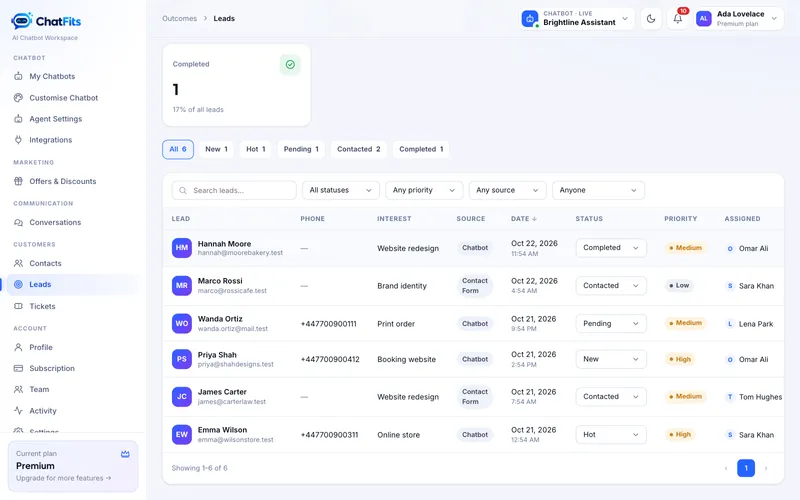
Interested visitors leave their name, email and what they need, and it lands in your lead inbox, assigned to whoever is free.
Connect Gmail, Outlook or any business mailbox. Read, reply, forward and assign customer email with your team, and turn it into a lead or ticket in one click.
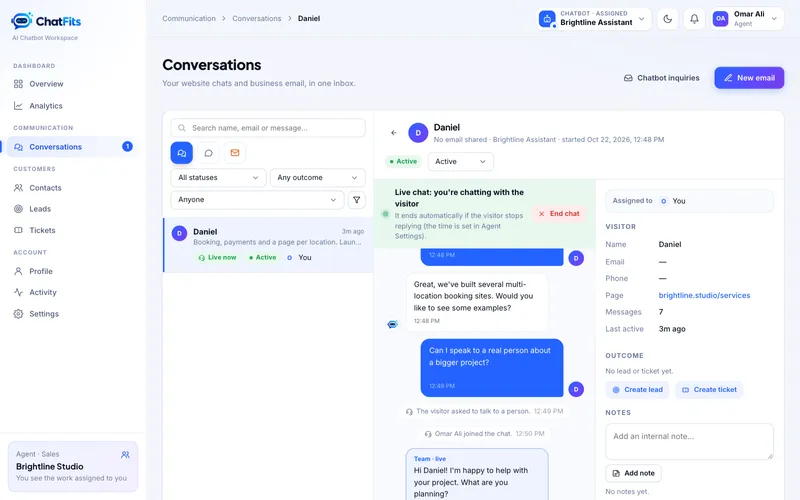
Visitors can ask for a person. The chat goes to an agent who isn't busy; they click Start chat and take over.
Owners, managers and agents each see exactly the work they should. Reassign anything in one click.
Conversations, leads and tickets over time, busiest hours, top questions and conversion.
Problems become numbered tickets with priority and the full chat attached. Every person who writes in becomes one contact, with shared notes across their chats, leads and tickets, ready to export to HubSpot, Mailchimp or Salesforce.
New messages, emails, leads and assignments appear the moment they arrive, with a pop-up and an optional bell sound each person can turn on or off.
One conversation, start to finish: the assistant answers from your website, captures the lead, hands over to a free agent when a person is needed, and the customer rates the help they got.
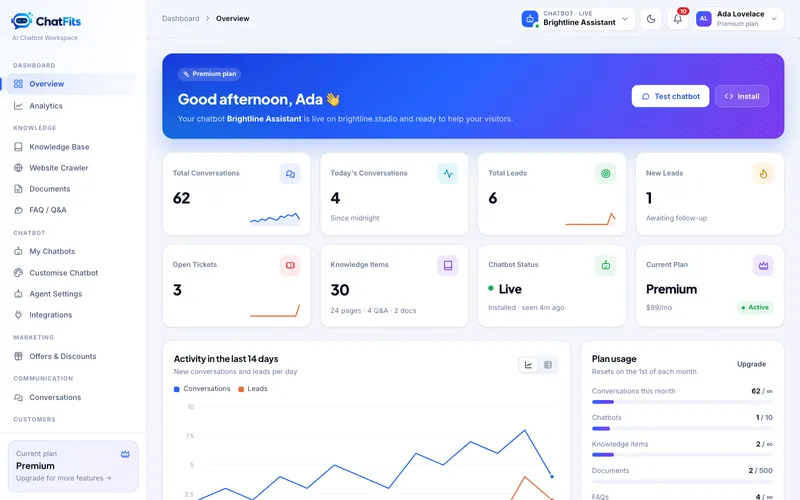
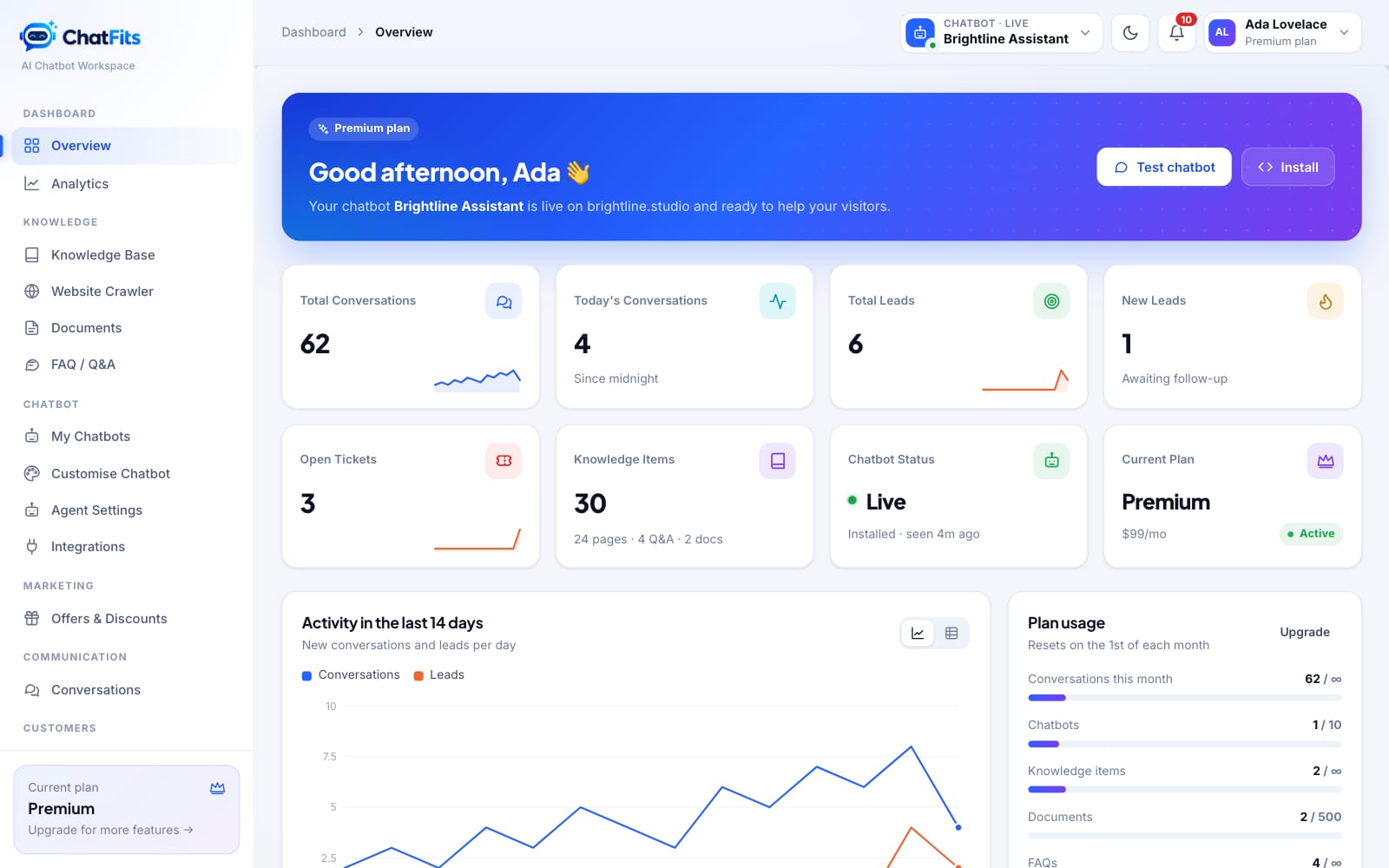
A calm, fast dashboard for owners, managers and agents, with your website chats and email in one place.
Create your account and add your URL. The assistant reads your pages; add FAQs or documents for anything else.
Your colours and logo are applied for you. Choose the tone, the greeting and what happens when it can't answer.
Paste one line of code, connect your business email, and invite managers and agents. New conversations start arriving, already assigned.
Your customers' conversations belong to you. Every account is isolated, and you stay in control of who sees what and where your assistant runs.
Every account starts with a free trial with all features unlocked. No credit card needed.
Loading plans…
Chat Fits exists because good businesses lose customers for a simple reason: questions arrive at 11 pm, on weekends, or while everyone is busy, and a contact form feels like a wall.
We built an assistant that learns from your website, answers the way your team would, and knows when to step aside for a real person. Every conversation becomes something your team can act on: a lead, a ticket or a contact.
Why “Chat Fits”? Because it fits. One line of code fits it into any website, from WordPress and Shopify to a hand-built site. It fits your brand, your team and the channels your customers already use.
Guides and ideas for answering every customer, faster.
Add your website address, let the assistant read your pages, and start answering visitors with your own prices, services and policies.
Read moreInterested visitors leave their name, email and what they need. Here's how leads are captured, assigned and followed up automatically.
Read moreVisitors can ask for a person at any time. See how chats reach a free agent, how they reply, and how visitors rate the help they got.
Read moreCan't find what you're looking for? Ask us directly and we'll get back to you.
Sign up with your name and email. There's no plan to choose and no credit card needed. Every feature is unlocked during the trial. Choose a plan whenever you're ready; if you don't, the assistant pauses when the trial ends and everything is kept for when you return.
Only from what you provide: your website's pages, documents you upload and FAQs you write. If it doesn't know, it says so and offers your contact form or a person instead of guessing.
Yes. A visitor can ask for a person at any point. The chat is routed to an agent who isn't already chatting; they get an alert, click Start chat and reply from the dashboard. Chats close automatically after one minute without a reply from the visitor.
Yes. Connect Gmail, Google Workspace, Outlook, Microsoft 365 or any business mailbox. Your team reads and replies from Chat Fits with attachments, CC and BCC, assigns emails to each other and turns them into leads or tickets. Replies are sent from your own address.
No. You copy one line of code into your website. There are guides for WordPress, Shopify, Wix, Webflow, Google Tag Manager and plain HTML.
Not if you set your allowed websites. The assistant only loads on the domains you list.
Yes, you can switch plans from your dashboard at any time.
Try every feature free. Setup takes less than 60 seconds.